> For the complete documentation index, see [llms.txt](https://wiki.revolgc.pro/llms.txt). Markdown versions of documentation pages are available by appending `.md` to page URLs; this page is available as [Markdown](https://wiki.revolgc.pro/znakomstvo-s-igroi/uluchshenie-predmetov/sozdanie-predmetov.md).

# Создание предметов

В игре R2 online можно создавать различные предметы и экипировку.

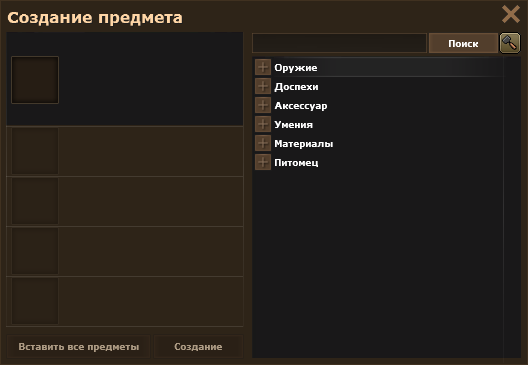
Окно создания предметов открывается при помощи клавиши ***J***

<figure><img src="/files/Sp1O2EaEjPU3AKNqNZRO" alt=""><figcaption></figcaption></figure>

Окно создания предметов имеет 7 разделов, а так же подразделы.

* Оружие
* Доспехи
* Аксессуары
* Умения
* Материалы
* Питомец
* Событие

Для создания предмета необходимы различные ингредиенты, в том числе может взыматься плата в виде серебра.

Соберите все необходимые ингредиенты в своем инвентаре, откройте окно создания предметов, выберите предмет который вы хотите создать (можете воспользоваться окном поиска), нажмите ***ПКМ*** на ингредиенты в инвентаре и нажмите на кнопку ***Создание.***

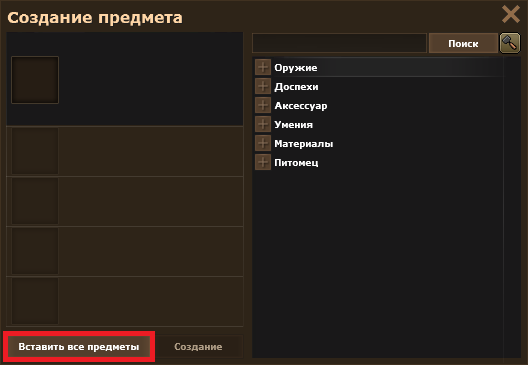
Существует альтернативный способ перемещения предметов в окно создания, для этого нажмите на кнопку ***Вставить предметы***

<figure><img src="/files/fhDcEEe9It1fJxiWnhWg" alt=""><figcaption><p><strong>Вставить предметы</strong></p></figcaption></figure>

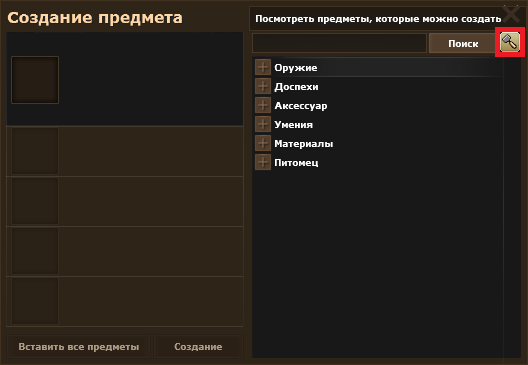
Так же при помощи кнопки ***Посмотреть предметы, которые можно создать***, вы можете просмотреть что можно создать из предметов которые в вашем инвентаре и хранилище.

<figure><img src="/files/ze4qIYGGNkT0FZidJGNG" alt=""><figcaption><p><strong>Просмотр предметов</strong></p></figcaption></figure>

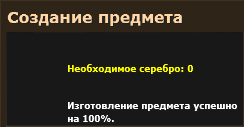
Создание предметов имеет разные шансы на успех, в некоторых случаях усиление имеет 100% шанс.

<figure><img src="/files/CAPmL2Oqv3HYJCFjWxo1" alt=""><figcaption><p><strong>Шанс успеха и цена</strong></p></figcaption></figure>

{% hint style="danger" %}
В случае неудачного создания, предметы возврату не подлежат
{% endhint %}

В зависимости от результата вы увидите анимированный эффект и звуковое сопровождение
<img src="/files/wGlxOi3VKmXa2UVnAnZd" alt="" data-size="original">                               <img src="/files/8bltBIOgZaMVY1DS3Xvo" alt="" data-size="original">


---

# Agent Instructions
This documentation is published with GitBook. GitBook is the documentation platform designed so that both humans and AI agents can read, navigate, and reason over technical content effectively. Learn more at gitbook.com.

## Querying This Documentation
If you need additional information that is not directly available in this page, you can query the documentation dynamically by asking a question.

Perform an HTTP GET request on the current page URL with the `ask` query parameter, and the optional `goal` query parameter:

```
GET https://wiki.revolgc.pro/znakomstvo-s-igroi/uluchshenie-predmetov/sozdanie-predmetov.md?ask=<question>&goal=<endgoal>
```

`ask` is the immediate question: it should be specific, self-contained, and written in natural language.
`goal` is optional and describes the broader end goal you are ultimately trying to accomplish on behalf of the user. GitBook uses it to tailor the answer towards what is most useful for that goal.

The response will contain a direct answer to the question and relevant excerpts and sources from the documentation.

Use this mechanism when the answer is not explicitly present in the current page, you need clarification or additional context, or you want to retrieve related documentation sections.